Ads
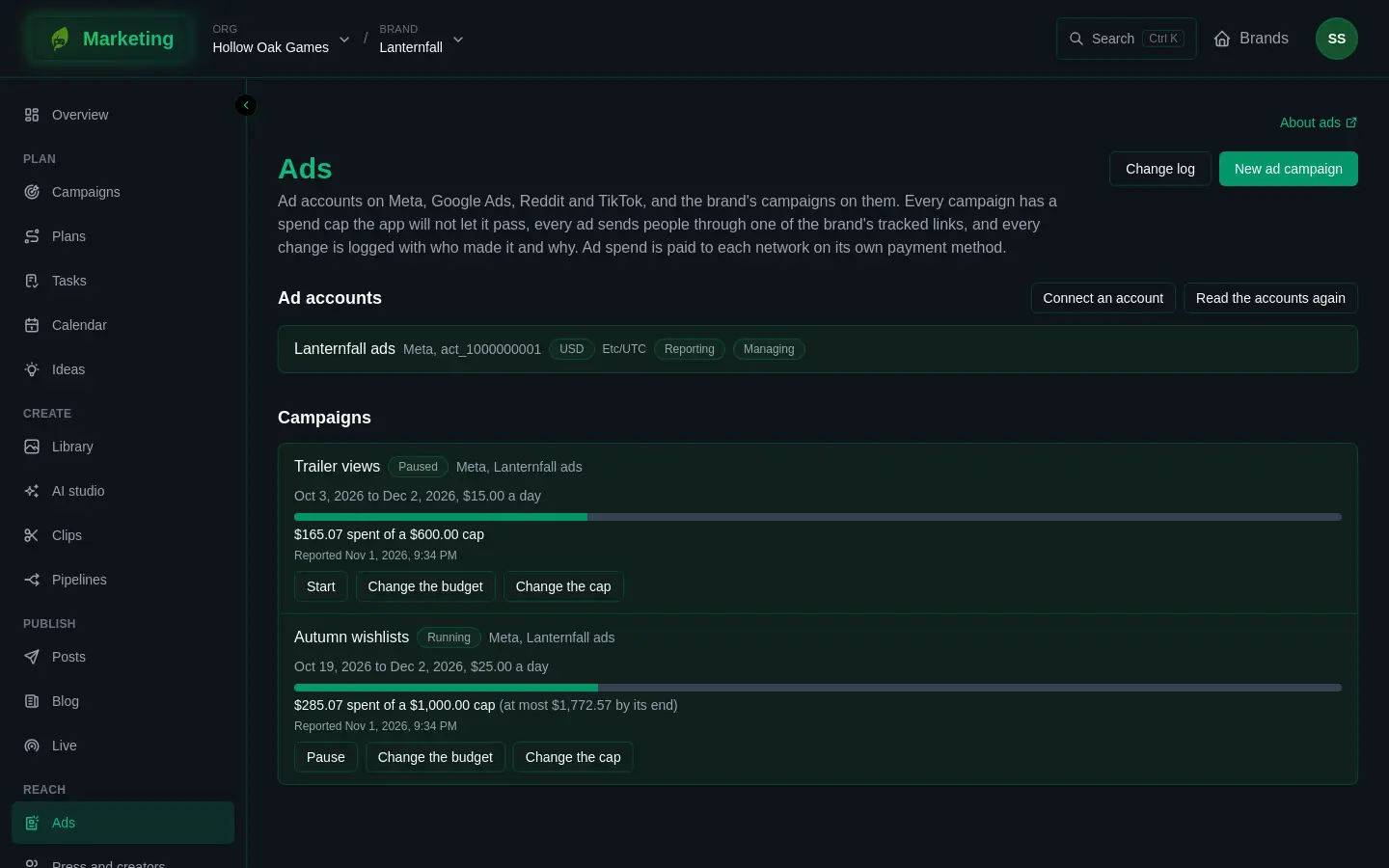
Ads shows the brand's ad accounts on Meta, Google Ads, Reddit Ads and TikTok Ads, and the campaigns on them. You can make a simple campaign from here, pause it, start it and change its budget, and every campaign is held to a spend cap that the app will not let it pass. Every change is logged with who made it and why.
Ad spend is paid to each network, on the payment method you set up with that network. It never passes through GreenMind credits. Making a campaign, pausing it, starting it and changing its budget each call the network, and each costs credits from the org. The page tells you if the org has none left.
Who can do what
- Anyone on the brand who can see Ads can read the accounts, campaigns and change log, and press Read the accounts again.
- Set aside on a campaign the networks report (see below) needs an editor or an admin.
- Everything that spends or changes what can be spent needs an admin by default: New ad campaign, Pause, Start, Change the budget, Change the cap, Adopt, and Set the cap on a shared account. An org's own roles may be set up differently. Buttons you may not use are not shown.
See People and roles.
Connect an ad account
- Open Connections (or press Connect an account on this page) and connect Meta, Google Ads, Reddit Ads or TikTok Ads. The guides are Connect Meta, Connect Google Ads, Connect Reddit Ads and Connect TikTok Ads.
- The ad account also has to be chosen for the brand, for reporting, for managing ads, or both. Marketing has no screen for this step today, and until it is done Ads stays empty, so ask GreenMind to set it up once you have connected.
- Back on Ads, press Read the accounts again. Each account is listed with its currency and time zone, and badges say what it is used for: Reporting, Managing, or Disconnected when no connection uses it any more.
An account used for reporting only is read, never changed. Pausing or changing its campaigns is refused until it is connected for managing ads too.
What the app reads, and what it changes
On all four networks the app reads the account's name, currency and time zone, its campaigns (name, status, budget, dates), their spend, impressions, clicks and conversions, and where each ad sends people. Spend from campaigns made in the network's own tools counts in the brand's numbers too.
On all four networks the app can make one kind of campaign, Traffic to a page: one picture ad, bidding for clicks, every click going through a tracked link to the page you choose. It can pause and start a campaign it made or adopted, and change its budget. It does not edit an existing ad's picture, words or audience, and it does not delete campaigns. Do those in the network's own tools.
The differences between networks:
| Meta | Google Ads | Reddit Ads | TikTok Ads | |
|---|---|---|---|---|
| Budgets you can set | Daily or lifetime | Daily only | Daily or lifetime | Daily or lifetime |
| Square picture | Optional | Required | Optional | Optional |
| Age range | Used | Used | Left out | Used |
Meta's ads run as a Facebook Page, so the brand needs its Page connected for posting through the same Meta connection first. The page tells you if it is missing. Reddit does not target by age, so the ages are left out there.
The cap is the app's own. On Meta and Reddit it is also sent to the network when the campaign is made, but Change the cap afterwards changes it here only, not at the network.
Make a campaign
- Press New ad campaign. It appears only if you may spend and at least one account is used for managing ads.
- Choose the Template, the Ad account and the brand Campaign it belongs to, and give it a Name.
- Under Where it sends people, enter the address. A tracked link to it is made for the campaign, and the ad uses that link.
- Choose Countries, and optionally the youngest and oldest age (18 to 65).
- Choose a Picture, from the library. Only approved pictures appear, so approve one in Library first. Add the Headline and Text.
- Choose the kind of budget, the amount, and the Spend cap. Set the First day and Last day, and write Why.
- Press Make the campaign.
The campaign is made paused, on the network. Look it over there, then press Start here.
If the brand's link vocabulary lacks the source or medium the ad's link needs, the page says which; add them in Settings.
Spend caps
A campaign is refused, before the network hears of it, if its budget could let spend pass its cap on the network's most generous days. A daily budget with no end date is refused, since nothing would hold it. Start works the same: it starts a campaign only if the most it could spend from now to its end stays within the cap.
The app reads each running campaign's spend regularly and pauses a campaign whose reported spend has reached its cap. That pause is in the change log as "Reporting, holding it to its cap". It is never charged credits. Reported spend lags the network, so each campaign shows when it was Reported.
Campaigns made elsewhere
Campaigns the networks report but that were not made here are listed under Campaigns not matched to the brand's. Press Adopt to hold one to a cap and manage it here, or Set aside to leave it. An adopted campaign must have a budget, as the network last reported it, that stays within the cap you set.
If an ad does not send people through one of the brand's tracked links, the campaign shows a warning naming the ad.
Shared accounts
An ad account lent by another brand of the org shows Shared by that brand, and spends only under two caps its lender sets: one for the whole account and one for this brand. Until both exist, this brand spends nothing there. Only the lending brand sees Set the cap. See Sharing.
The change log
Press Change log for every change, made or refused: the campaign, what kind of change, whether it is Done, Refused or Failed, who asked, why, what it was before and after, and anything the network said.
If it goes wrong
A refused change says why on screen and in the log. A network that says no leaves the campaign as it was. If the org has no credits, the change is refused. See Connections for accounts that need reconnecting.