Credits
Some work costs GreenMind money each time it runs: AI, media processing, some posting, streaming. Credits pay for it. This page says what costs credits, how the app shows the price first, and how to buy more.
One credit is one US cent. The credits belong to the org, so every brand in the org spends from the same balance.
What costs credits
The app says so on the page where it happens. Look for these:
- AI studio, the text help beside a post's text (Captions, Hashtags, Thread, Translate, Alt text), and Find ideas on Ideas. Each shows See the price first.
- Library: a picture rendered to a size reads Render for an amount credits, and the HLS stream and poster of a video is marked costs credits. In Store bundles, Render (costs credits).
- Clips: the cut and its versions show About an amount credits. Captions need a transcription, which is paid for in credits too.
- Steam tools that draw a picture, such as a capsule or a description heading, say This costs about an amount credits, paid from the brand's org.
- Posts: a channel that is priced carries a Costs credits badge in the composer.
- Pipelines: a step that spends credits says Uses credits, and adding one tells you so. A run shows what it was estimated at and what it has spent.
- Live: the time the stream spends on GreenMind's relay.
Writing and saving a post, planning, tasks, the calendar, tracked links and people show no price.
Two kinds of background work show no price on any page, and can still be charged: changing an ad campaign, and the daily reading of your numbers from the networks and stores you connect. The ledger, described below, lists any such charge.
Seeing the price first
You are shown a price before you commit wherever the app can work one out.
- Choose See the price. The page works out what the action would cost, from what you have typed or chosen.
- The button you pressed becomes the action itself, with the price beside it: About an amount credits, paid from the brand's org.
- Change anything the action depends on and the price is cleared, so the price on screen is what will be charged.
A dry run of a pipeline shows what each step would cost without running anything or spending a credit. A preview runs it for real on one item and spends credits, but only ever leaves drafts. Prices change, so read the figure on the page rather than remembering one.
Where credits are bought
Credits are bought on the org's Billing page, in your GreenMind account.
- In Marketing, open the org switcher and choose Manage orgs.
- Open your org and then its Billing tab.
- Under Buy credits, choose a pack. Stripe's Checkout opens, where you see the price and pay.
- When you come back, the credits appear as soon as Stripe confirms the payment.
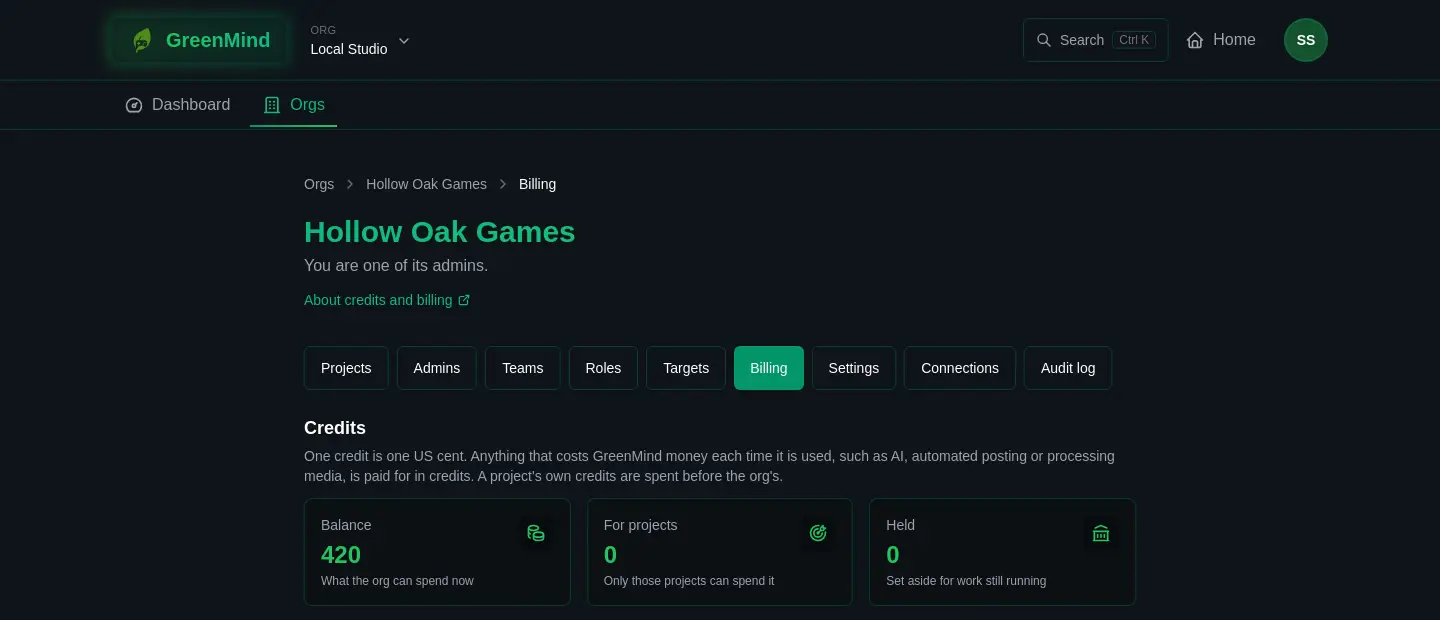
Only the org's admins can buy credits or change the budget and limits. Everybody who can see the org's usage sees the Balance, the credits set aside for projects, and what is Held for work still running. Bought credits never expire.
Low credits
On Billing, under Low credits and top-ups, switch on Tell the admins when credits are low. Set a Warning threshold (credits), a Budget a month (USD) and Top up by (USD).
When the org's own credits fall below the threshold, its admins are told on the page and in their GreenMind inbox, with a link that opens Stripe Checkout for the top-up amount. Top-ups never buy more than the monthly budget in a calendar month. Nothing is charged by itself: a card is never charged with nobody at Checkout.
Spending limits
Spending limits on the same page caps the org's monthly spending on a project or on a feature, so one cannot use everything. When a limit would be passed, the app says: this would pass a monthly spending limit the org set, and an admin can raise it on the org's Billing page.
When credits run out
- Anything you start from a page is refused with: there are not enough credits for this, and more can be bought on the org's Billing page. Nothing is charged for what was refused.
- A scheduled post whose channel is priced waits and is tried again a little later, without counting as a failed try. Its version shows why. Once credits are bought, it goes out.
- On Live, a warning appears when less than half an hour of streaming is left. If credits run out while you are live, the stream ends.
- A pipeline that reaches its budget stops posting by itself and waits for a person to turn it back on.
The ledger
Ledger, on Billing, lists every change to the org's credits, newest first. Each entry is marked Bought, Granted, Held, Spent, Given back, Refunded, Expired or Adjusted, with what it was for and the Balance after. It is the place to look when you want to know what used credits.