Press pages the public sees
A brand has pages that anyone can open without an account: its press kit, a page to ask for a game key, the page where a creator opens the key they were given, and the page that stops mail. This page shows what each looks like to the creator or journalist, so you know what you are sending people to.
None of these pages are listed by search engines.
The press kit
The press kit is at /press/<brand>, where <brand> is the brand's key. It shows the brand's name, the description you wrote, a list of facts, and downloadable screenshots, trailers and logos. Only files from collections you made public appear. If the kit is not published, the address shows There is no press kit here.
At the bottom is a link, Ask (the brand's name) for a key, that leads to the request page. You build the press kit from collections: see Collections and press kit.
Asking for a key
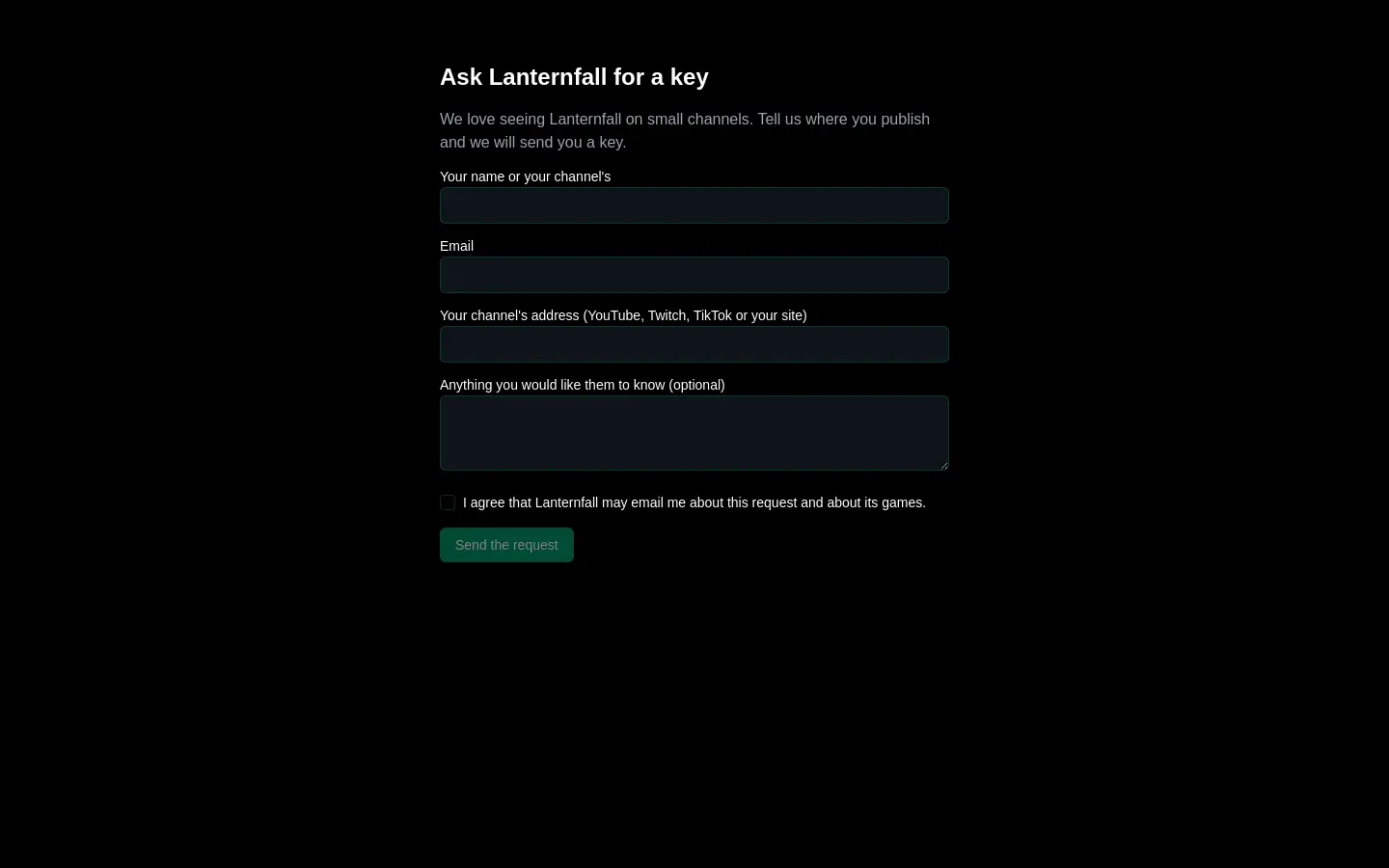
The request page is at /press/<brand>/keys. It works only if both of these are true:
- Take requests for keys is switched on in the Settings part of Press and creators.
- The brand has at least one game linked in its settings.
Otherwise the page says This page is not taking requests just now.
The creator sees what you wrote under What the page says above its form, then fills in:
- Their name or their channel's.
- Their email.
- Their channel's address (YouTube, Twitch, TikTok or their site). An address that is not a channel is refused.
- The game, if the brand has more than one linked.
- Anything they would like to say (optional).
- A tick box agreeing that the brand may email them about the request and about its games. They cannot send the form without it. That tick is recorded as their agreement to be contacted, so the brand may write to them freely afterwards.
They press Send the request and see Thank you. They are told that somebody from the brand reads every request and answers by email. The form shows the same answer whoever asks, so it never tells a visitor whether they are already a contact. Too many requests from one place in an hour are turned away.
On your side, the request appears under Key requests, and a task is raised for a person to review it. If the creator is already a contact, their record is updated rather than duplicated.
Opening a key
When you press Give a key, you get a link of the form /press/<brand>/key/<long code>. Either the app mails it from the brand's mailbox or you send it yourself. The link is the only way to the key, so treat it like the key.
The creator who opens it sees A key from (the brand), the game and the store. The key is not shown yet: opening the link must not use it up, since chat apps preview links. They press Show my key and the key appears with the words that tell them where to redeem it:
- A Steam key: in Steam, open Games, then Activate a Product on Steam.
- A Google Play promo code: in the Google Play Store app, open the profile, then Payments and subscriptions, then Redeem code.
- An App Store offer code: in the App Store app, open the account, then Redeem Gift Card or Code.
For Steam and Google Play there is also a Redeem it on the store link.
The key is shown once. The page says Keep it somewhere safe now: this page will not show it again. After that, the link says there is no key to show. If the batch was revoked, the link says the key was withdrawn and to ask whoever sent it for another. There is no way for you to see the key again either, so if a creator loses it, give them another.
Stopping mail
Every outreach mail from a brand ends with the brand's name, its postal address and a link to stop getting mail. The link opens a page headed Stop mail from (the brand), which explains that this stops mail from the brand and from the other brands of its organisation. Nothing happens until the visitor presses Stop the mail, because mail scanners open every link in a message. Then they see You will not get more mail. For mail sent through Gmail, the reader's own mail program can offer an unsubscribe button that does the same. Mail sent through Microsoft 365 has the footer link alone.
From then on, no brand in the org will write to that address. This is the rule Press and creators follows when it refuses to send. A link that cannot be used says This link cannot be used.