Sharing across brands
An org with several brands, such as a publisher with several games, can set an account or a pipeline up once and let its other brands use it. Sharing stays inside one org, and every brand stays a brand of its own. The only tie between them is that one may use what another lends.
What can be shared
- Accounts that a brand owns. The Shared for list offers Post, Stream live, Run live broadcasts, Take part in live chat, Read ads, Manage ads and Send mail, whichever the account can do. Reading an account's post insights or its metrics cannot be lent; those stay with the brand that owns it.
- Pipelines. Another brand starts from your pipeline and follows it.
An account connected at the org already reaches every brand, so it needs no sharing. See Connections.
The rules
- A brand's own account beats a lent one, network by network. A brand with its own Reddit uses it instead of a lent Reddit, and still uses a lent YouTube. An org's account also beats a lent one.
- The lender keeps it. The borrower never sees the credentials and cannot test or disconnect the connection.
- The lender must use it first. An account can be lent only for something the owning brand already uses it for. Otherwise the page says "This brand does not use it for this yet, so there is nothing to share until it does."
- A post belongs to the brand that wrote it. People act under their own role in their own brand.
Share an account
- On the lending brand's Connections page, make sure the account is in use under Posting. See Connections.
- Under Sharing with other brands, find the account and press Share.
- In Share with, choose a brand, or Every brand in the org. The second also covers brands made later.
- Under Shared for, tick what it may be used for, then press Share.
To change a share, press Share again and choose the same brand. It starts from what is shared now. Stop sharing ends a share, and asks you to confirm.
Sharing with a named brand takes an admin's rights on both brands. Every brand in the org takes an admin of the org. The Share button appears only when there is somebody you may share with.
A share ends when you stop it, and when the account is disconnected.
Use a lent account
The borrowing brand's Connections page lists what it has been lent under Shared with this brand, with the lender's name and what it is for. It cannot change it.
In the post editor a lent account carries a Shared label. Posts go where the lender's use points, such as the lender's Page. Drafts made for you by a pipeline or an assistant choose a lent account by themselves only when it is the single account on that network.
If the lender stops sharing, or the account lapses, a post drafted on it cannot go out. It says that the account needs reconnecting. Choose another account, or ask the lender.
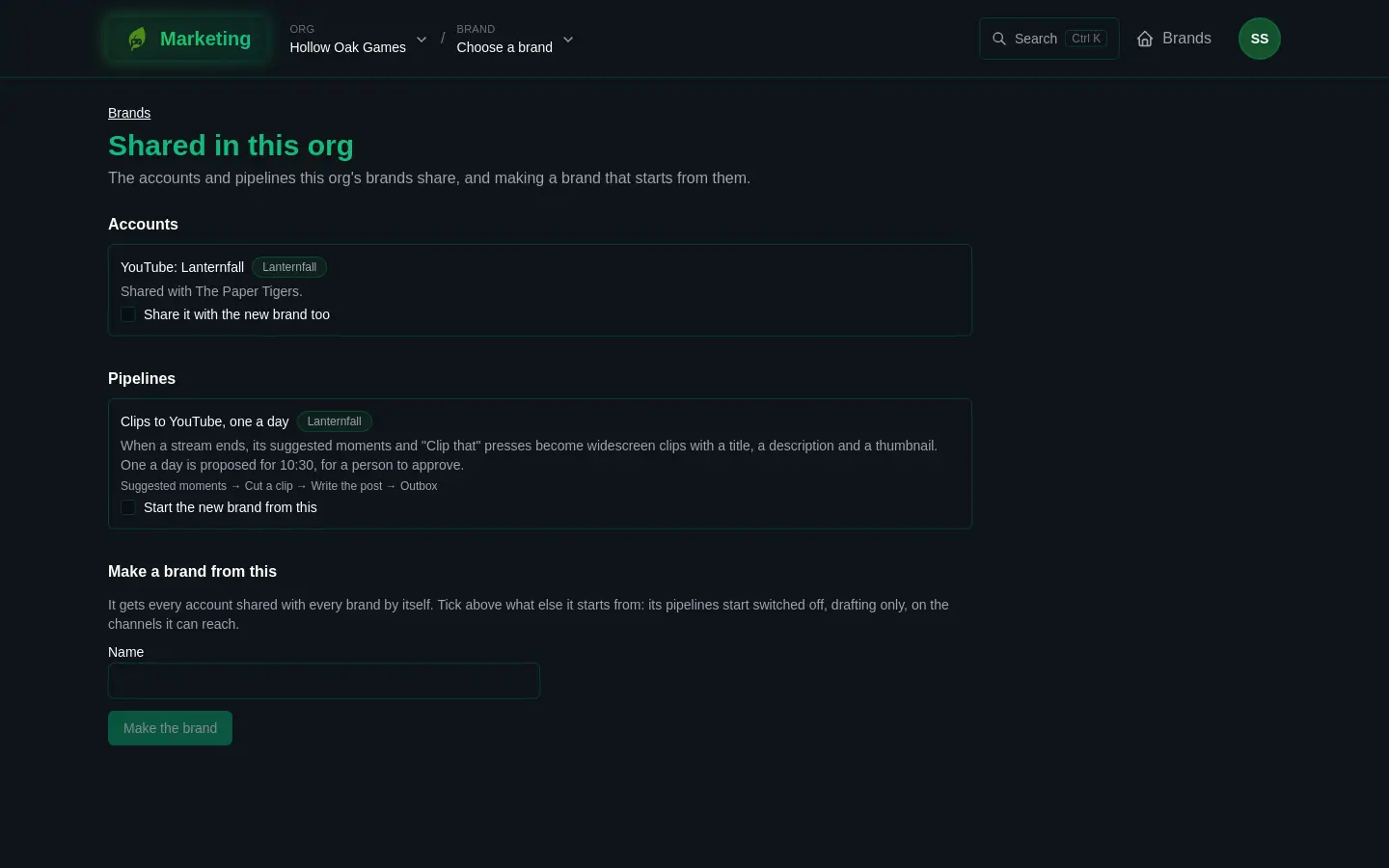
Shared in this org
The org's Brands page has a link, Shared in this org. It lists:
- Accounts: each share with its service, the account, the brand that lends it and who it is shared with.
- Pipelines: each pipeline shared in the org, with its steps.
You see an account share if you manage connections on the brand lending it or on the brand it reaches. Anybody working in the org sees the shared pipelines. If there is nothing, the page says "Nothing is shared yet".
Make a brand from the shelf
If you may make brands in the org, the page also has Make a brand from this. Type a Name. The new brand gets every account shared with every brand by itself. Tick Share it with the new brand too on a share to a named brand that you may lend, and Start the new brand from this on a pipeline. Then press Make the brand.
The brand is made even if something cannot come along. The page then lists what was left out, with Open the brand. Pipelines it starts from are switched off, draft only, and use the channels the new brand can reach.
Share a pipeline
On the pipeline's page, Sharing in this org has a tick box, Other brands may start from this pipeline. It takes the right to publish pipelines. A pipeline that itself follows another cannot be shared.
A brand that wants to use it picks it under Start from a pipeline shared in this org and presses Use this. The new pipeline follows the shared one, starts switched off and drafting only, and posts to channels the brand can reach. What the brand changes stays its own.
Each version turned on in the shared pipeline reaches the brands following it. They keep their own autonomy, budget and channels, and are asked before anything new spends or reaches outside. When a version needs their say, they can Take this version or Stay on the version it has. The owner can press Send this version to the brands following. A follower can Stop following at any time and keeps the steps it has.
A pipeline of another brand never posts by itself through your account until somebody here agrees, under Posting by itself through your accounts, with I may publish for this brand, and agree. See Pipelines.