Ideas
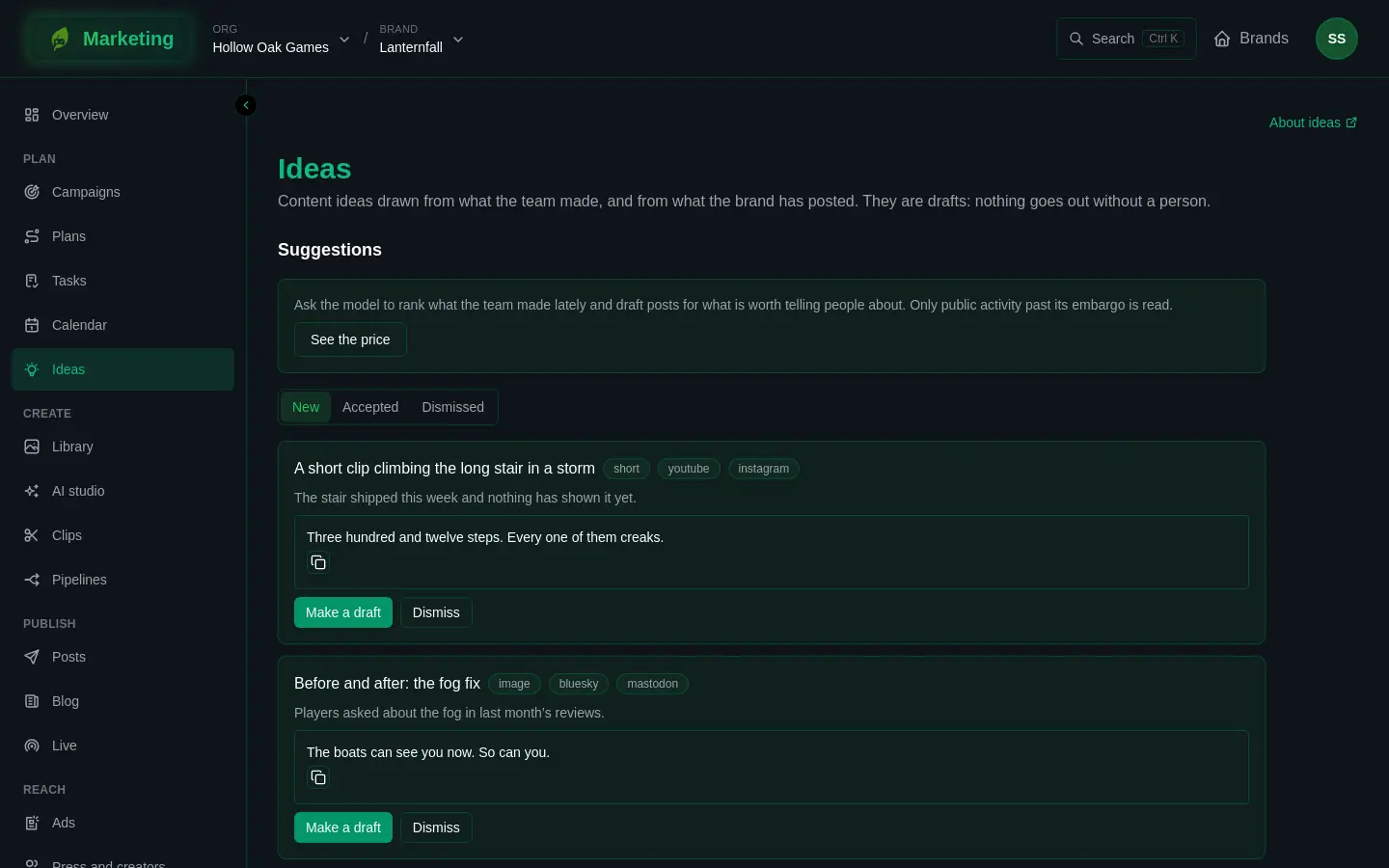
Ideas suggests what to post about, from what the team made lately and from how the brand has been posting. Every suggestion is a draft. Nothing goes out until a person publishes it.
Open Ideas in the Plan group of the sidebar. Everybody on the brand can read it. An Editor or an Admin can ask for ideas, accept them and dismiss them (see People and roles).
Where ideas come from
The page has two parts. What the team made is the raw material, and Suggestions is what comes out of it.
What the team made lists the work the brand has done. Marketing reads:
- merged pull requests from a connected code repository, and finished issues from a connected work tracker (see Connect GitHub and Connect Linear);
- what a linked band does, such as songs and booked or played shows (see Brands and kits);
- anything your own tools post to the brand (see The intake, below).
A linked game's own design tool can add to the list too, but that is not open to everybody yet.
If the list is empty, the page says activity comes from the projects the brand markets, its code and work-tracker connections, and its intake.
What may be suggested
Each item is Public, Spoiler or Internal:
- Public: shown, and may be suggested, once any embargo on it has passed.
- Spoiler: shown only behind a warning (A spoiler: show it anyway), and never suggested.
- Internal: never shown and never suggested.
Items from a code repository or a work tracker count as a spoiler unless the connection's own setting or a label says otherwise, so a title nobody chose to share is never suggested. Give a pull request or an issue the label marketing:public, marketing:spoiler or marketing:internal to decide. You can also change any item on this page with its Shown as menu. Leave it on As its source says to follow the source.
Get suggestions
Find ideas asks a model to read the public, past-embargo items that no earlier suggestion has used, pick the ones worth telling people about, and draft a post for each. It costs credits, paid from the brand's org, so the page shows the price first:
- Press See the price.
- Look at "About ... credits, paid from the brand's org".
- Press Find ideas to go ahead.
If See the price brings back nothing, there are no new public items to rank. The page says "Nothing new worth posting about yet." when a run finds nothing worth a post. See Credits.
Some suggestions come from simple checks instead of the model, and cost nothing:
- A channel that has been quiet, or that nothing has been posted to yet.
- A feature that shipped a little while ago and has no video.
- A roundup of several things shipped since the last one, as a devlog.
Decide on a suggestion
Use Which suggestions to show to switch between New, Accepted and Dismissed. A card shows the idea, its format, the channels it suits, why it was suggested and, where there is one, a draft with a copy button.
- Make a draft makes a draft post from it, for somebody to finish. The card then says "Made into a draft post." Where the brand has a pipeline that takes accepted ideas, that pipeline makes what comes of it instead of a plain draft. See Pipelines.
- Dismiss turns it down. You can say why under "Why not (optional)", and press Dismiss again to confirm, or Cancel. Every dismissal makes that kind of suggestion less likely next time, and the model is told the reasons you gave.
The intake
If you can manage the brand's connections (an Admin by default), the page has a section called The intake. A build server, a script or your game's own tools can post what the team made to the address shown there, using a key made on this page.
- Under New key's name, name the key after what will use it.
- Choose how long it Lasts: 30 days, 90 days or A year.
- Press Make a key.
- Copy the key straight away. It is shown once. Keep it in your build's secrets, never in a file.
Revoke stops a key. A key also stops working when the person who made it can no longer edit the brand.
If something does not work
- No suggestions after Find ideas. There was nothing new and public to read. Check What the team made, and the Shown as setting of the items.
- Everything is a spoiler. That is the starting point for code and work-tracker items. Label them or change Shown as.