Brands and kits
A brand is what you market from: a game, a band, anything with an audience. Everything it says, where and when, and what happened afterwards, is kept in it. Link a game or a band to a brand and the brand gains tools made for it. We call what a link adds a kit.
What a brand is
A brand belongs to an org, and its people, accounts, library, plans, posts and numbers are its own. Another brand in the same org does not see them, unless you share an account with it.
A studio might make one brand per game and one per band, or a single brand for everything it makes.
- Brands lists the brands of the org you are in. The brand switcher in the header jumps between them, and All brands returns to the list.
- A brand has a name and an address. The address is made when the brand is made and never changes. The name can be changed, but only by an owner of the brand.
Settings
Open Settings, in the Brand section of the sidebar.
- Voice guide is how the brand writes: its tone, words it uses and avoids, how it signs off. Drafts follow it, whether a person or AI writes them.
- Link sources and Link mediums are the only words a tracked link may carry as its source and medium, so every link is counted under one name. Separate them with commas. A word is lower-case letters, digits, dots, hyphens and underscores. A new brand starts with the usual ones.
Editors and above can change these. A viewer or commenter sees them but has no Save.
Linking a game or a band
A game is a project in the publishing console, and a band is a project in Ensemblis. To link one:
- Open Settings and find What this brand markets.
- Under Link a project, choose the game or band in Choose a project.
- Press Link.
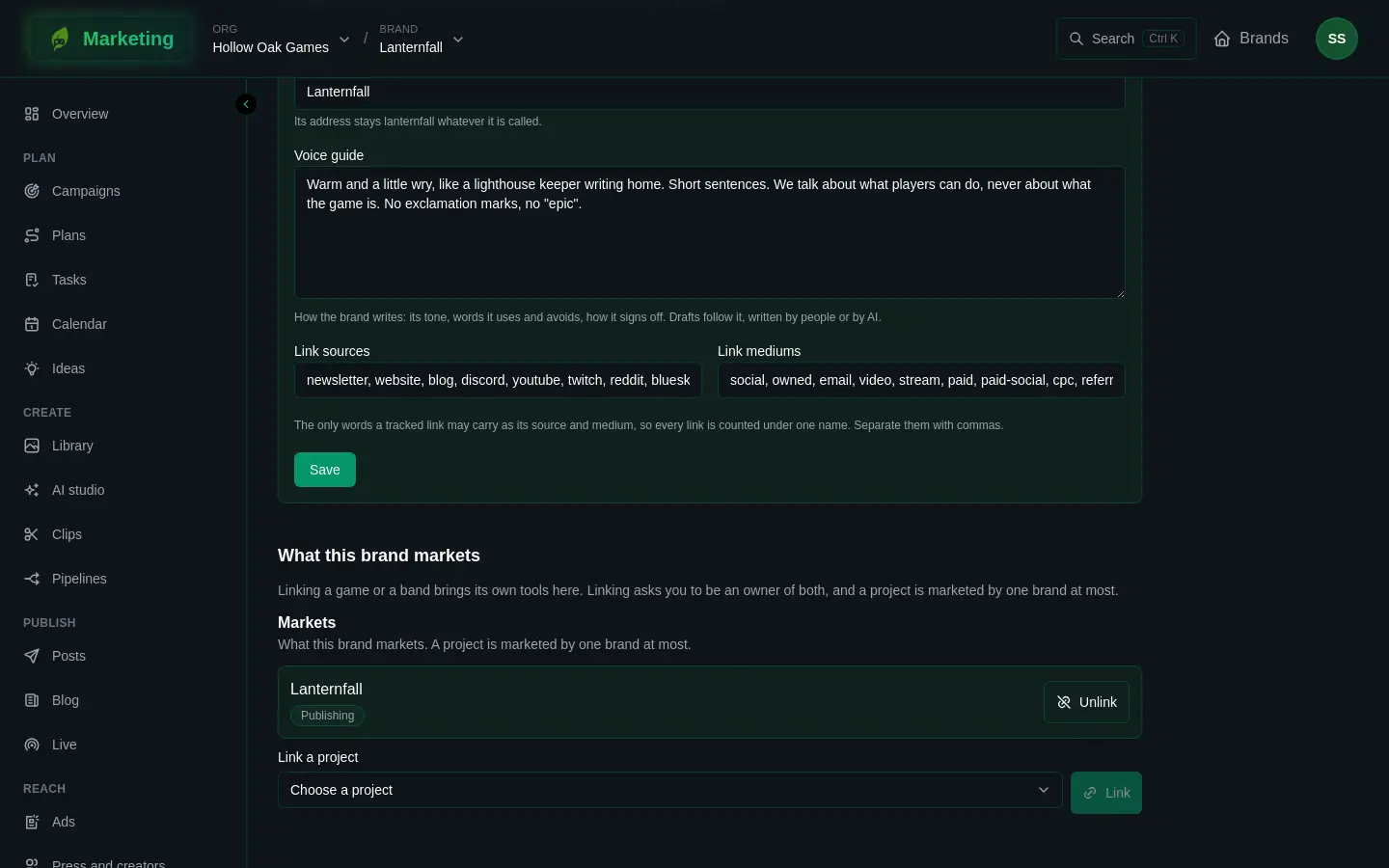
Each linked project is listed with a badge for its product: Publishing for a game, Ensemblis for a band. Unlink takes the link away. The kit goes with it; the game or band is not changed. A publishing project brings the game tools only if it is a game: a company's own project does not.
The rules are these:
- Linking asks you to be an owner of both the brand and the project.
- The project must be in the same org as the brand.
- A project is marketed by one brand at most, so its numbers are never counted twice.
If the project you want is not offered, one of those three is the reason.
Linking never shows a game's or a band's own pages to someone who may not see them. Anything a kit reads from the project, it reads as the person looking.
What each kit adds
The sidebar and the forms change once a project is linked.
| What it adds | A game | A band |
|---|---|---|
| Sidebar | Steam, the Steam toolkit | nothing extra |
| Plan templates | Steam launch, Mobile launch | Release, Tour |
| Tracked links go to | the Steam store page, the Google Play listing, the App Store listing | Spotify, Apple Music, YouTube Music, Bandcamp, Deezer, TIDAL |
| Pages for links | a Release page, on Links | |
| Channels posted to by hand | Steam announcement, Steam store page, Google Play listing, App Store listing | |
| Numbers | Steam sales, Steam wishlists, Google Play, App Store, players | imports from Spotify for Artists, Apple Music for Artists and Bandcamp |
| Ideas draw on | game builds, config releases, crash fixes | songs and shows |
| Calendar | Steam events | the band's shows |
| Live | a stream started from a show gets its setlist, and a clip of each song after it ends | |
| Pipeline templates | Steam sale to a post | Song clips from a show, New song to a post |
| Store bundles, in Library | every picture each store asks for |
Every brand also has the Indie launch plan template, whatever it links.
Keys, for handing out Steam keys, Google Play promo codes and App Store offer codes, are in every brand's sidebar, but they need a linked game. Keys says more. The Steam area is shown only to a brand with a game linked.
Game Designer
A project from Game Designer can be linked too, and it brings ideas drawn from the game's design. Game Designer is not open to everybody yet. Unless you have been let in, you will not see one to link, and nothing on this page depends on it.
One brand, several projects
A brand can link more than one project, such as two games from one studio. Each linked project adds its own pieces.
Next: People and roles for who may do what on the brand.