Plan a week of posts
This guide takes one idea to a scheduled week of posts on several networks, each with a link you can count. It uses Hollow Oak Games and its game Lanternfall as the example. You need at least one connected account, which Getting started covers, and an editor's role or above.
1. Pick the idea and the week
Decide what the week is about in one sentence: for example, "Lanternfall's autumn update is out on Friday." Everything below follows from it.
Give the week a campaign, so its posts, links and numbers can be read together.
- Open Campaigns and find New campaign.
- Write a Name, such as Autumn update. The Slug is made from it, and every tracked link of the campaign carries it.
- Set Starts and Ends to the week, and press Make the campaign.
Campaigns says more about what a campaign groups.
2. Get ideas if you are short of them
Open Ideas and press See the price, then Find ideas. It drafts ideas from what the team made and what the brand has posted. This costs credits, which the page shows first. See Credits.
Each suggestion can be made into a draft post with Make a draft, or put aside with Dismiss. You can say why when you dismiss one, which teaches later ideas what you do not want. Nothing goes out without a person. Ideas has the detail.
3. Gather the pictures and clips
Put what the week needs in Library: screenshots, a trailer, key art. Approved files can go in posts. Library explains rights and approval.
4. Write each post once
For each post:
- Open Posts and choose New post.
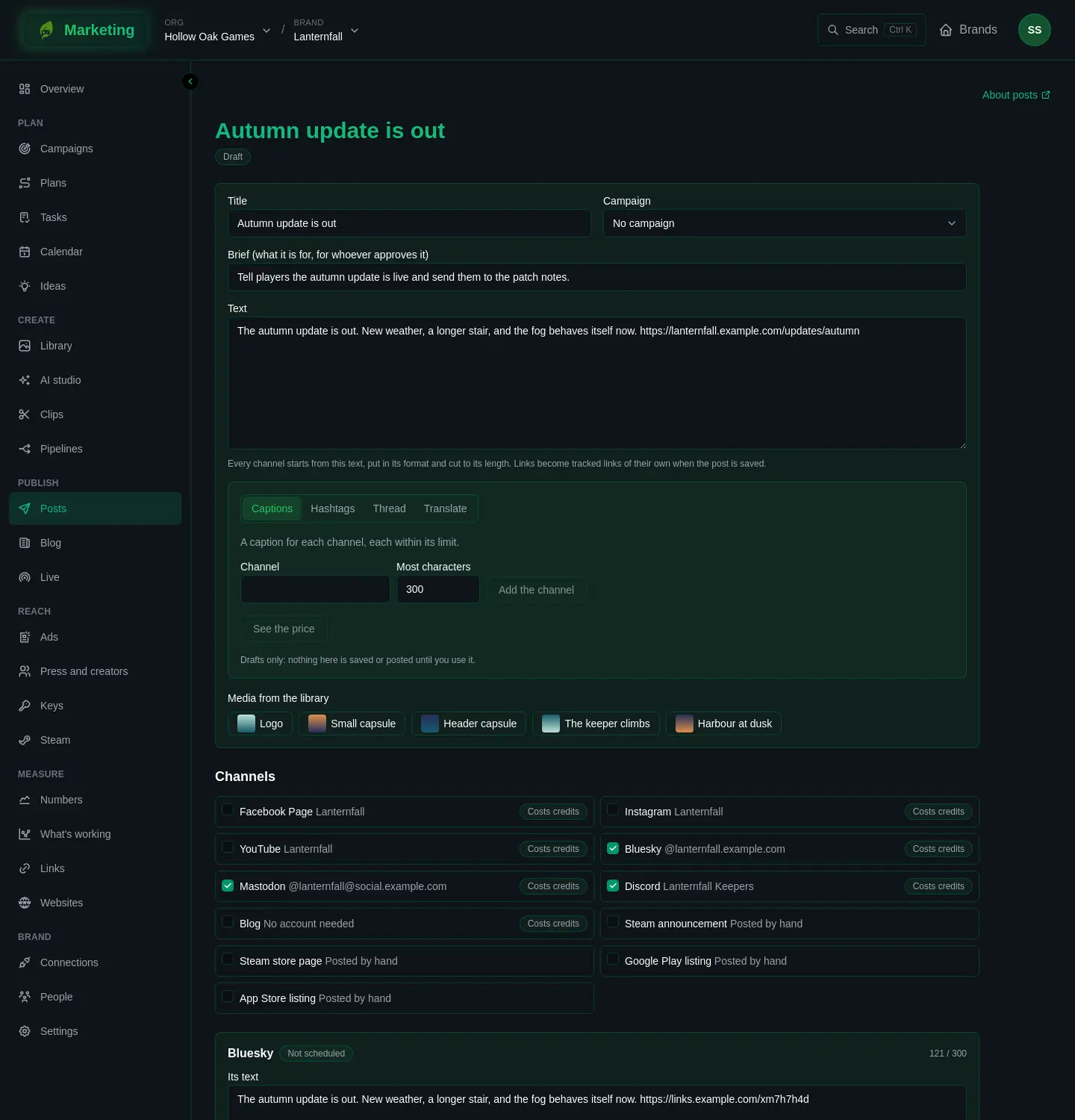
- Write the Title, a short Brief saying what the post is for, and the Text. Put any link in the text, and choose the Campaign.
- Under Media from the library, choose the pictures or video.
- Under Channels, tick every account the post should go to.
- Read each channel's panel. It starts from your text, put in the network's format and cut to its length, and shows a count against the limit. Change it where the network needs a different tone or a shorter line.
- Press Save.
Beside the text, the text help can draft for you. Pick Captions for one caption per channel, Hashtags, Thread to tell a blog post as a run of posts, or Translate. Press See the price, then Draft it, and Use this on the draft you want. Nothing is saved or posted until you use it. It follows the brand's voice guide.
A link in the text becomes a tracked link of its own when you save. To read the clicks, see step 8.
Vary the text across the week. A post is refused when this account has already posted the same text recently, and the page asks you to change it.
A sample week for Lanternfall: Monday, announce the update with a trailer on every network; Tuesday, a short clip; Wednesday, a question to the community on Reddit and Discord; Thursday, a behind-the-scenes picture; Friday, the update is out, with the Steam link.
5. Get them approved
An editor presses Send for approval, and the post becomes In review. An admin opens it, reads the Brief, and presses Approve. An admin who schedules a post approves it at the same time.
6. Schedule the week
An admin sets Goes out at on each post and presses Schedule. The post becomes Scheduled. Cancel the schedule takes it back.
Open Calendar to see the whole week as posts, streams and releases together. A scheduled post that has not started going out can be dragged to another day, and keeps its time of day.
7. Let it go out
Posts go out at their time. If a network asks for something a person must do, the version reads Waiting for a person, and Posts says how to finish it. A post that did not go out reads Failed or Partly failed, with the reason: see Troubleshooting posts.
8. See what it did
- On each post, How it did fills in an hour, a day, a week and a month after each channel's version went out.
- Links counts the clicks on every tracked link, so you see which post and which network brought people.
- Numbers puts the week's figures beside what you did on the same days.
- Later, What's working reads which times, lengths and first lines go with better results.
Use what you learn to plan the next week.